Enterprise software is undergoing its biggest shift in decades, and AI sits at the center of it. From automating routine workflows to surfacing insights that once took teams weeks to uncover, artificial intelligence is turning static business tools into proactive systems that learn, adapt, and act.
But how AI is transforming enterprise software goes far beyond chatbots and flashy demos. It’s reshaping how companies build products, serve customers, and make decisions at scale. In this article, we break down the key changes, real-world use cases, and practical steps you can take to stay ahead.
Introduction
Artificial intelligence has moved from research labs and science fiction into the daily operation of enterprise software. What was once a niche capability—recommendation engines, fraud detection, basic chatbots—is now embedded in customer relationship management platforms, enterprise resource planning systems, supply chain tools, and collaboration suites. For business leaders, IT managers, and knowledge workers, understanding how AI is transforming enterprise software is no longer optional. It is a practical requirement for making informed technology decisions, managing risk, and staying competitive.
This article explores How AI Is Transforming Enterprise Software with clear, practical guidance. You will learn the key concepts behind this shift, see how AI changes real workflows, and get a step-by-step approach you can apply inside your own organization. Understanding the fundamentals helps you make informed decisions. Whether you are evaluating a new vendor, planning an internal pilot, or simply trying to keep up with rapid change, reliable information and consistent habits lead to better long-term outcomes.
Key Concepts
Before diving into specific tools and tactics, it helps to understand the core ideas that define AI in enterprise software. These concepts appear repeatedly across vendors, platforms, and use cases.
From Rule-Based Automation to Learning Systems
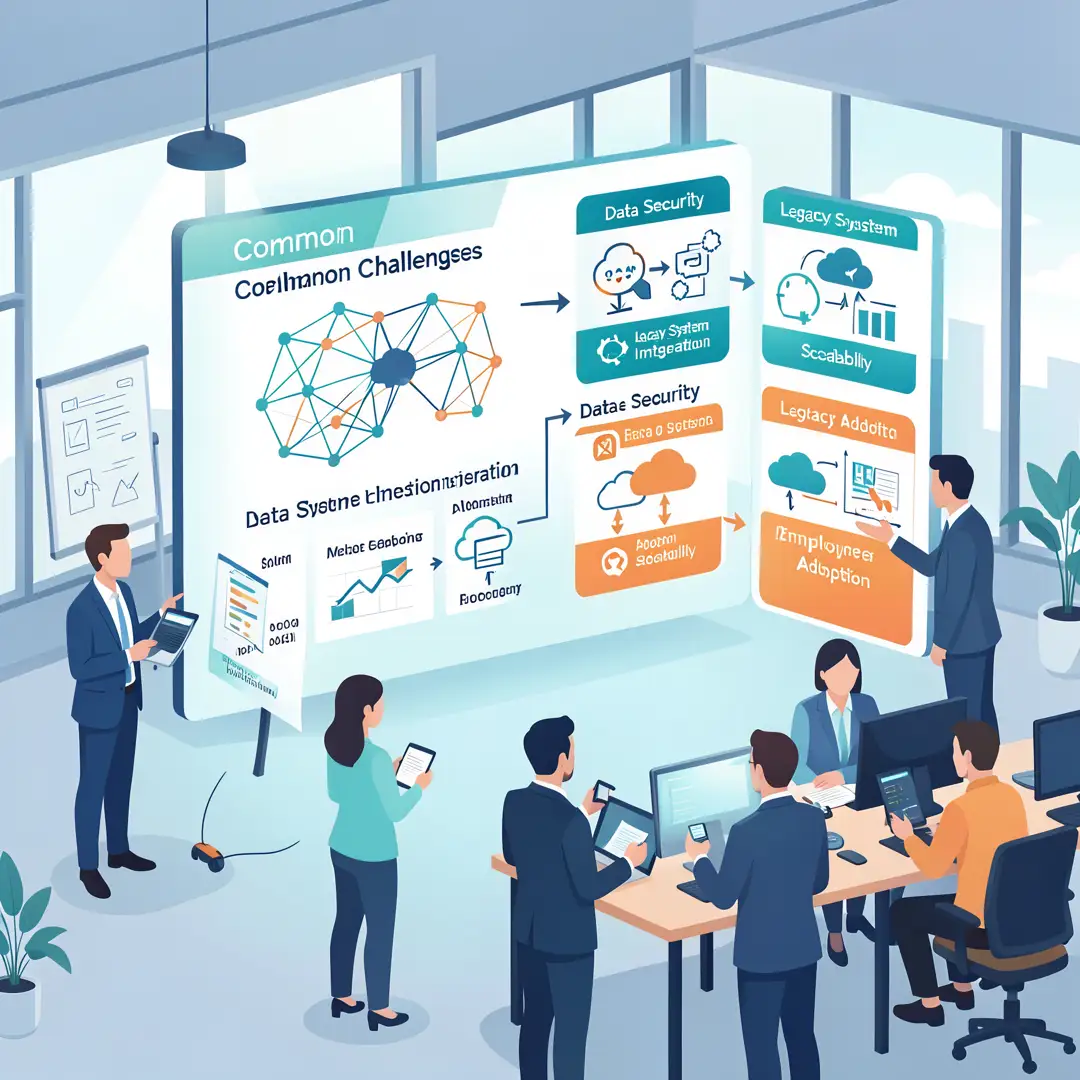
Traditional enterprise software follows explicit rules: if a customer’s order exceeds a limit, flag it; if inventory drops below a threshold, reorder. AI-based systems learn patterns from data instead. They can detect anomalies without being told exactly what to look for, predict demand based on hundreds of variables, and improve over time as they see more examples. This shift from static rules to adaptive learning is the foundation of the transformation.
Generative AI and Large Language Models
Generative AI, especially large language models (LLMs), allows software to produce text, code, summaries, and recommendations. In enterprise contexts, this means an assistant that drafts emails, summarizes long support tickets, generates SQL queries from plain English, or creates first-draft project plans. Unlike earlier AI, generative models work with unstructured data—documents, chats, emails—which makes up the majority of enterprise information.
Embedded AI vs. Add-On AI
There are two main ways AI enters enterprise software. Embedded AI is built directly into existing platforms—your CRM suggests the next best action, your ERP predicts late deliveries. Add-on AI is a separate tool that connects via APIs or plugins. Embedded AI tends to have better context and usability; add-on AI often offers more specialized capability. Most organizations end up with a mix of both.
Data as the Fuel
No AI system works well without clean, relevant, and accessible data. Enterprise data is often scattered across silos: finance, sales, support, operations. The transformation of enterprise software is as much about data integration and governance as it is about algorithms. Organizations that treat data as a product—with owners, quality metrics, and clear access rules—get far more value from AI features.
Human-in-the-Loop
AI in enterprise software is rarely fully autonomous, especially in high-stakes areas like finance, healthcare, and legal. Human-in-the-loop means people review, approve, or correct AI outputs. This improves accuracy over time and maintains accountability. The goal is augmentation, not replacement—at least for now.
Deep Dive
Understanding the concepts is useful, but the real transformation happens in specific workflows. Here is how AI is changing four major areas of enterprise software.
Customer Relationship Management (CRM)
AI in CRM goes beyond basic lead scoring. Modern systems analyze emails, call transcripts, and support tickets to predict which deals will close, recommend personalized offers, and automatically log activities. Sales reps spend less time on data entry and more time with customers. Customer service agents get real-time suggestions for responses, and chatbots handle tier-one issues, escalating only complex cases. The result is faster response times and more consistent customer experiences.
Enterprise Resource Planning (ERP) and Supply Chain
ERP systems now use AI for demand forecasting, inventory optimization, and predictive maintenance. Instead of relying on historical averages, AI models account for seasonality, promotions, supplier delays, and even weather. A manufacturer might reduce excess inventory by 15–20% while improving on-time delivery. In finance, AI automates invoice matching, detects fraudulent expenses, and predicts cash flow. These are not theoretical gains; they are measurable improvements that directly affect the bottom line.
Human Resources and Talent Management
HR platforms use AI to screen resumes, schedule interviews, and predict employee turnover. Chatbots answer common policy questions, freeing HR staff for strategic work. However, this area requires careful attention to bias and fairness. AI can inadvertently filter out qualified candidates if the training data reflects historical imbalances. Best practice is to use AI for sourcing and scheduling, but keep human judgment for final hiring and promotion decisions.
IT Operations and Cybersecurity
AI is transforming IT service management (ITSM) by automatically categorizing tickets, suggesting resolutions, and even resolving common issues without human intervention. In cybersecurity, AI detects unusual network behavior, identifies phishing attempts, and prioritizes alerts so security teams focus on real threats. The speed advantage is critical: AI can spot and respond to an intrusion in seconds, while manual review would take hours.
Collaboration and Productivity Suites
Tools like Microsoft 365, Google Workspace, and Slack now include AI features that summarize meetings, draft documents, translate languages, and surface relevant files. These features are often the first AI experience for many employees, and they build familiarity with the technology. The cumulative productivity gain across an organization can be significant, though it requires training and clear usage policies.
Best Practices
To get real value from AI in enterprise software, follow these practical guidelines. They are based on what works across industries and company sizes.
- Start with a specific problem, not a general goal. “Use AI” is not a strategy. “Reduce customer churn by predicting at-risk accounts” is. Narrow scope makes it easier to measure success and learn.
- Clean and connect your data first. AI models are only as good as the data they learn from. Invest in data quality, integration, and governance before or alongside AI projects.
- Choose embedded AI when possible. If your existing CRM or ERP vendor offers AI features, try those first. They already have your data and workflows, reducing integration effort.
- Keep humans in the loop for high-stakes decisions. Use AI for recommendations, not final calls, in hiring, lending, medical, and legal contexts.
- Measure outcomes, not activity. Track metrics like time saved, error reduction, revenue lift, or cost avoidance. Avoid vanity metrics like number of AI features enabled.
- Train your people. AI changes workflows. Provide clear guidance on when to trust AI, when to override it, and how to report issues.
- Review vendor contracts for data usage. Understand whether your data is used to train models for other customers. Demand transparency and opt-out options.
- Iterate in small cycles. Pilot with one team, gather feedback, improve, then expand. Big-bang AI rollouts often fail.
Step-by-Step Guide to Applying AI in Your Enterprise Software
This section gives you a repeatable process. Follow these steps in order, but expect to revisit earlier steps as you learn.
Step 1: Understand the fundamentals
Before selecting tools or writing requirements, make sure your team understands what AI can and cannot do. Learn the difference between predictive AI (forecasting, classification) and generative AI (content creation, summarization). Know that AI requires data, training, and monitoring. Read vendor documentation, take a short course, or bring in an expert for a lunch-and-learn. This step prevents unrealistic expectations and wasted budget.

Step 2: Assess your starting point
Inventory your current enterprise software and data. Which systems hold the data you need? Is it clean? Who owns it? How is it accessed? Also assess your team’s skills and attitudes. Do people trust AI? Are they afraid of job loss? A honest assessment surfaces blockers early—such as missing data integration or lack of executive sponsorship—so you can address them before they derail your project.
Step 3: Set clear goals
Define what success looks like in measurable terms. Examples: “Reduce average customer service handle time by 20% within six months” or “Cut invoice processing errors by 50% this quarter.” Set a baseline so you can compare before and after. Also decide what you will not do—which use cases are out of scope. Clear goals keep the project focused and make it easier to get buy-in.
Step 4: Gather necessary resources
You will need people, budget, and tools. People: a project lead, a data engineer or analyst, and representatives from the affected business team. Budget: for software licenses, integration work, and training. Tools: either embedded AI features in your existing platforms or a dedicated AI service. Also plan for data access and security reviews. Do not underestimate the time required for legal and compliance approvals.

Step 5: Apply the core methods
Start with a pilot. Configure the AI feature or connect the add-on tool to a limited dataset. Train users on how to interact with it—for example, how to write effective prompts for a generative assistant or how to interpret a prediction score. Run the pilot for a defined period, such as four to six weeks, and collect both quantitative data (time, accuracy, volume) and qualitative feedback (user satisfaction, friction points).

Step 6: Monitor your progress
After the pilot, compare results against your goals from Step 3. Did you hit the target? If yes, plan a phased rollout to other teams. If not, analyze why: data quality issues, user resistance, model drift, or unclear goals. Set up ongoing monitoring for accuracy, bias, and performance. AI models can degrade over time as business conditions change, so schedule regular reviews. Use what you learn to improve the next iteration.
FAQ
What should I know about How AI Is Transforming Enterprise Software?
The most important thing to know is that AI is not a single product or a magic switch. It is a set of capabilities—prediction, generation, classification, optimization—that can be embedded into existing software or added alongside it. The transformation is real but uneven: some workflows change dramatically, others only slightly. You should understand that data quality, human oversight, and clear goals matter more than the specific algorithm. Also know that AI raises new risks—bias, privacy, security, and over-reliance—which require governance. Finally, the field changes quickly. Reliable information and consistent habits,.
You now have a solid foundation for How AI Is Transforming Enterprise Software. Apply the best practices above and revisit this guide as your needs evolve.